
Chris is a freelance marketing consultant. His desk has four notebooks, a calendar and about 30 sticky notes: a phone number here, "call back Thursday" there, a quote scribbled on the back of an envelope.
One Monday, a potential client emailed: "I called last week and left a message. Did you get it?" Chris hadn't. The message was on a sticky note that had slipped behind his monitor. By the time he replied, the client had hired someone else.
That lost client cost him more than a year of software would have. And it's the kind of mistake that happens quietly to many small businesses. If your customer information lives on sticky notes, your business is relying on luck.
- A CRM (customer relationship management) tool stores your contacts, conversations and follow-ups in one searchable place.
- Sticky notes get lost, can't be searched, can't be shared and don't remind you of anything.
- Several CRMs offer free plans, including HubSpot, Zoho CRM and Capsule, though limits change often.
- Start small: names, contact details, status, last contact and next step are enough.
- A CRM only works if you update it. Build a daily five-minute habit.
The Sticky Note Problem
Sticky notes feel quick and personal. But as a system, they fail in predictable ways:
They get lost
A note can fall behind a desk, get thrown away or be covered by a newer note.
They can't be searched
If you can't remember where you wrote it, you can't find it. A digital record can be found in seconds.
They have no history
You can't see what you discussed last month, what you promised or what the customer liked.
They don't remind you
A note never taps you on the shoulder on Thursday and says, "Call Maria back."
Nobody else can use them
If you're sick, or if you hire help, your customer knowledge is trapped on your desk.
What a CRM Does
CRM stands for customer relationship management. Strip away the jargon and it's a shared address book with a memory. It lets you:
- Keep every contact's details in one place.
- See the history of every email, call and meeting.
- Track where each potential customer is in your sales process.
- Set reminders for follow-ups.
- See which leads came from where, and which ones turned into sales.
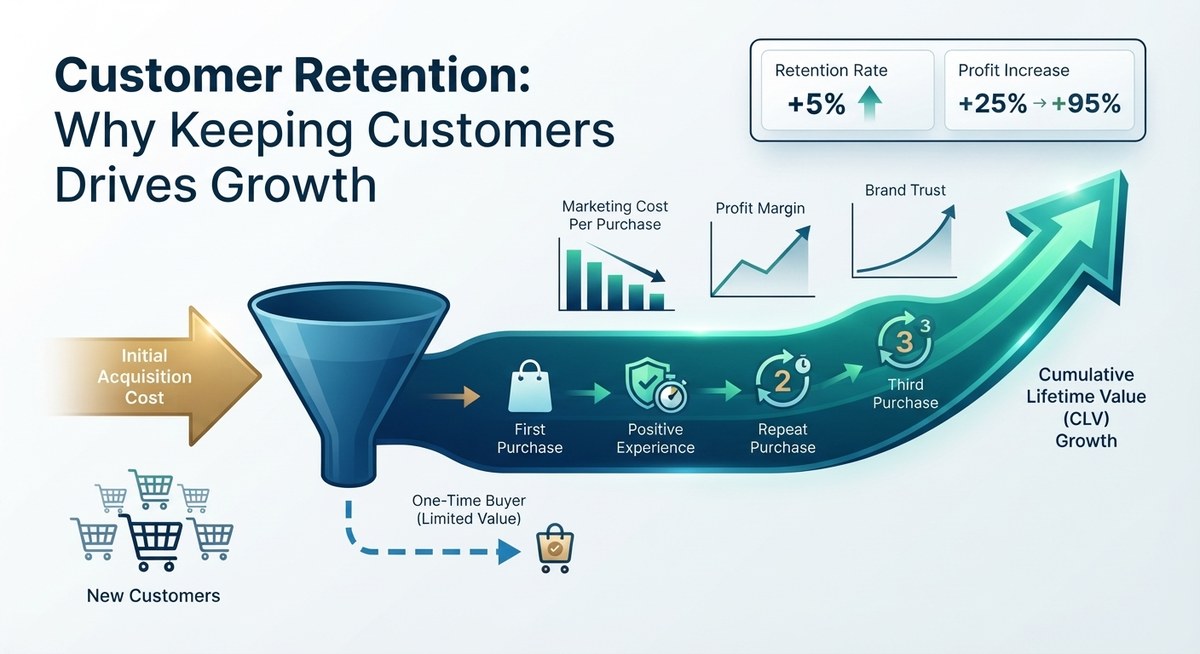
That last point matters for growth. Without records, you can't see which marketing works or which customers return, so it's hard to improve your customer retention or follow up consistently, as we describe in our guide on why one email is never enough.
The money is in the follow-up, and the follow-up is in the system.
What to Track (and What Not To)
The most common reason people abandon a CRM is that they make it too complicated. Start with the basics:
Email and phone number
Where they came from (referral, website, event, social media)
Status (new lead, in conversation, proposal sent, customer, lost)
Last contact date and a short note
Next step and the date to do it
A simple pipeline with four or five stages is enough, for example: New lead → Talked → Proposal sent → Won → Lost. You can add fields later if you find you really need them.
Tools Worth Trying
There are dozens of CRMs, and plans change frequently. According to a June 2026 guide from Dupple, these are typical options for small businesses, but always check each provider's current limits before you commit:
HubSpot CRM
Offers a free plan with unlimited contacts for a small number of users, and it's a good fit where sales and marketing overlap. Paid tiers add automation and reporting.
Zoho CRM
Has a free plan for up to three users, with many features. It rewards owners willing to spend time on setup.
Capsule
A simple, friendly CRM with a free plan limited to a small number of contacts. Good for solo owners who want to start light.
Pipedrive
Built around a visual sales pipeline. It's a paid tool with a free trial and suits teams with a clear, repeatable sales process.
Salesforce
A powerful platform that's best for teams expecting to scale quickly. For a small business just starting out, it may be more than you need.
A spreadsheet (to begin)
If a full CRM feels like too much, start with a well-organized spreadsheet using the starter record above. It's far better than sticky notes, and you can import it into a CRM later.
Set Up in One Afternoon
- Choose one tool. Pick a free plan and resist comparing ten options. You can switch later.
- Gather your data. Collect every sticky note, notebook page and business card. Group them into three piles: current customers, active leads and old contacts.
- Import or type the important ones first. Start with current customers and active leads. Old contacts can wait.
- Set up your pipeline stages. Use four or five, and name them in your own words.
- Add a next step to every active record. This is the most valuable step. A lead without a next step is a lead you'll forget.
- Connect your email. Most CRMs can log emails automatically, which saves time. Our guide on integrating your tools explains how tools can talk to each other.
- Throw away the sticky notes. Literally. Once the data is saved, remove the temptation to go back.
Habits That Make It Work
Log it right after the call
Spend two minutes noting what was said and what happens next, while you still remember.
Start the day with your task list
Open the CRM first thing and do the follow-ups due today. This habit alone can rescue many sales.
Review the pipeline weekly
Every Friday, scan your leads. Close the dead ones and nudge the stalled ones.
Keep notes human
Record personal details that matter, like a customer's upcoming event or preferred contact time. Those details turn routine messages into relationships.
Respect Your Customers' Data
Once you store personal information, you're responsible for it. A few simple rules:
- Collect only what you need. You don't need a customer's life story, just what helps you serve them.
- Get permission for marketing. Laws such as Europe's GDPR require a legal basis for contacting people, and many countries have similar rules. Check the requirements where you and your customers live.
- Protect access. Use strong passwords and two-factor authentication, as we explain in our guide to cybersecurity basics.
- Delete what you no longer need. Old data you don't use is a risk without a benefit.
This isn't legal advice, so if you handle sensitive data, speak to a qualified professional.
Conclusion: Give Your Customers a Memory
After losing that client, Chris spent a Saturday setting up a free CRM. He entered his active leads, gave each one a next step and started every morning with the task list. Within three months, he had recovered two leads that would have been forgotten, and he'd stopped dreading Mondays.
This week, gather your sticky notes, choose one free tool and enter your ten most important contacts with a next step for each. Your customers deserve to be remembered. Give your business a memory.
Frequently Asked Questions
What is a CRM?
A customer relationship management tool stores your contacts, conversations and follow-up tasks in one searchable place, like a shared address book with a memory.
Do small businesses really need a CRM?
If you handle more customers or leads than you can easily remember, yes. Even a simple CRM or organized spreadsheet beats sticky notes and notebooks.
Are there free CRM tools?
Yes. Providers such as HubSpot, Zoho CRM and Capsule have offered free plans with limits on users or contacts. Plans change, so check current details before you commit.
What information should I store in a CRM?
Start with name, contact details, source, status, last contact and the next step. Add more fields later only if you need them.
How do I keep customer data safe?
Collect only what you need, get permission for marketing messages, use strong passwords with two-factor authentication and delete data you no longer need.